Offices · Companies · Corporate communication

Advertising screens for offices and companies

Internal and external communication with a more professional corporate image.

Advertising screens for offices and companies improve internal and external communication. They let you display corporate information, internal messages, visitor welcomes and campaigns updated in real time with a professional image.

✓ Remote CMS management
✓ 24/7 operation
✓ Professional Full HD resolution
☁
Management Centralised remote CMS
24
Operation Continuous 24/7 use
5 corporate solutions
100% remote CMS management
24/7 continuous operation
Full HD professional resolution

Advertising screens for offices and companies for every need

Advertising screens for offices and companies need to suit each space. That's why Yovisual offers solutions optimised for reception, the lobby, meeting rooms, training and internal communication.

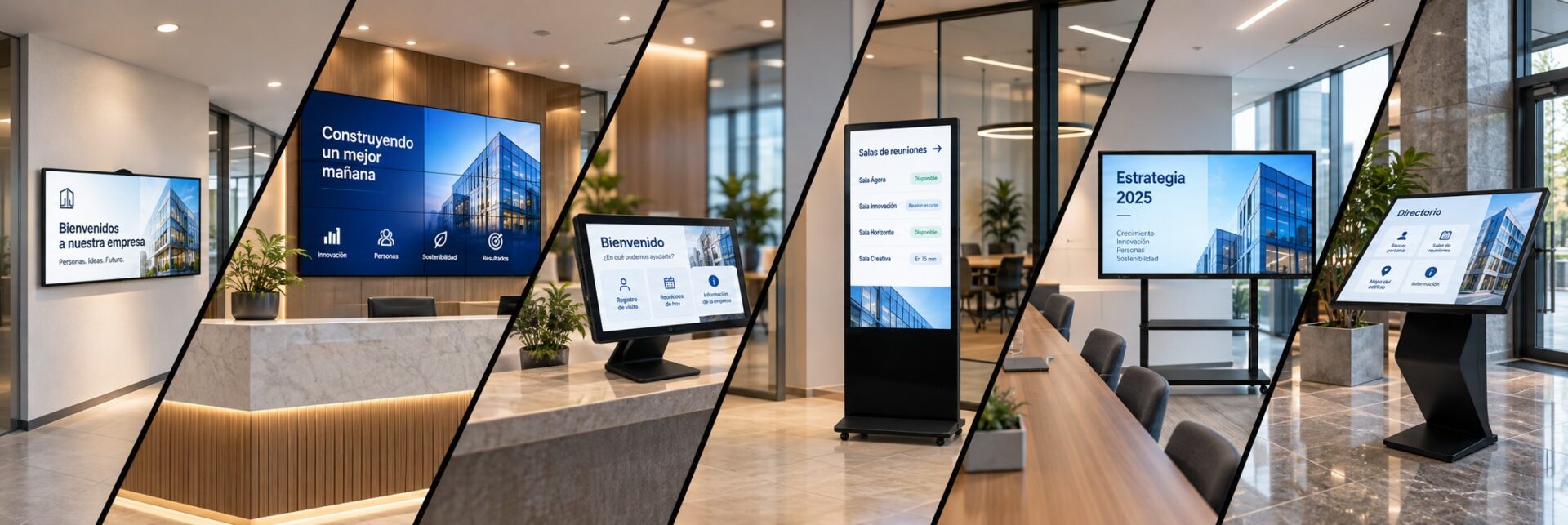
Reception Advertising screens for offices and companies with a countertop display at reception
01 · Reception and front desk

Countertop display

Ideal for displaying personalised welcomes, corporate videos, services, meeting schedules or institutional messages at reception and front desks.

  • Perfect for reception and front desks
  • Personalised visitor welcome
  • Full HD corporate videos
  • Schedule and internal announcements
  • Remote management included
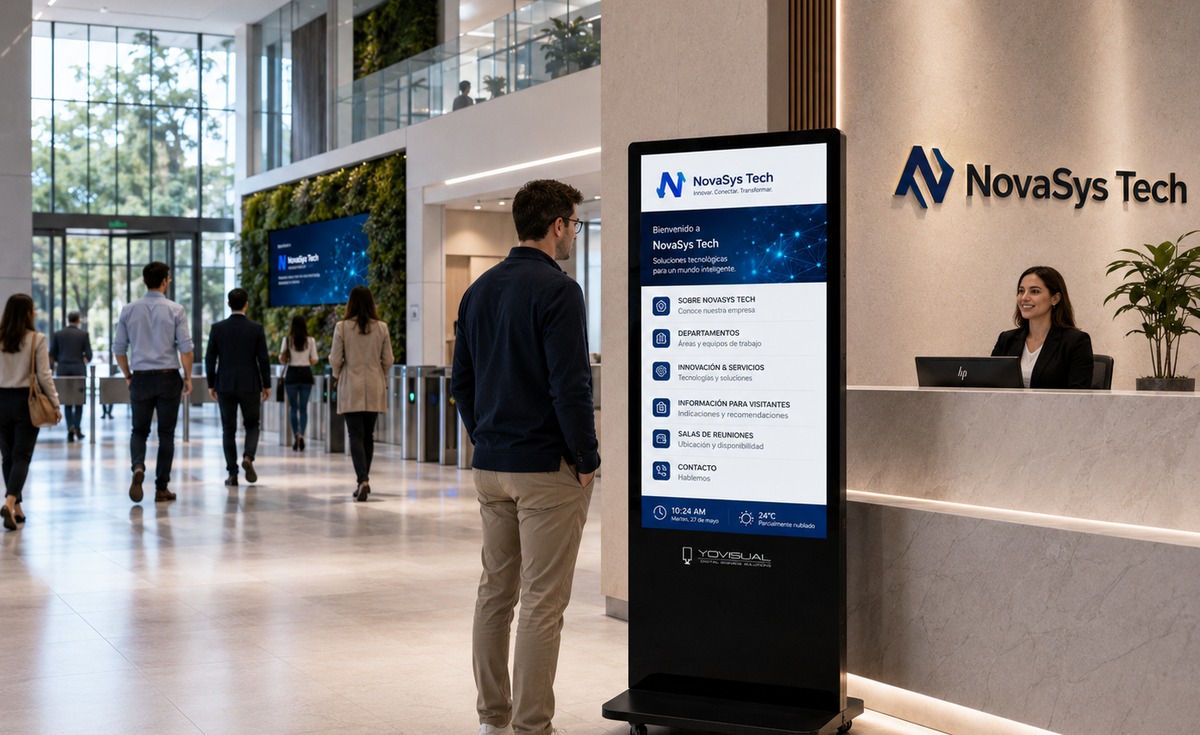
Lobby Digital portrait totem for a corporate lobby
02 · Entrances and walkways

Portrait totem

Perfect for entrances, lobbies, showrooms and internal events. An elegant, tech-savvy look that reinforces corporate identity in high-footfall areas.

  • Entrances, lobbies and showrooms
  • Dynamic corporate signage
  • Battery-powered model available
  • Easy to reposition
  • A premium image in through areas
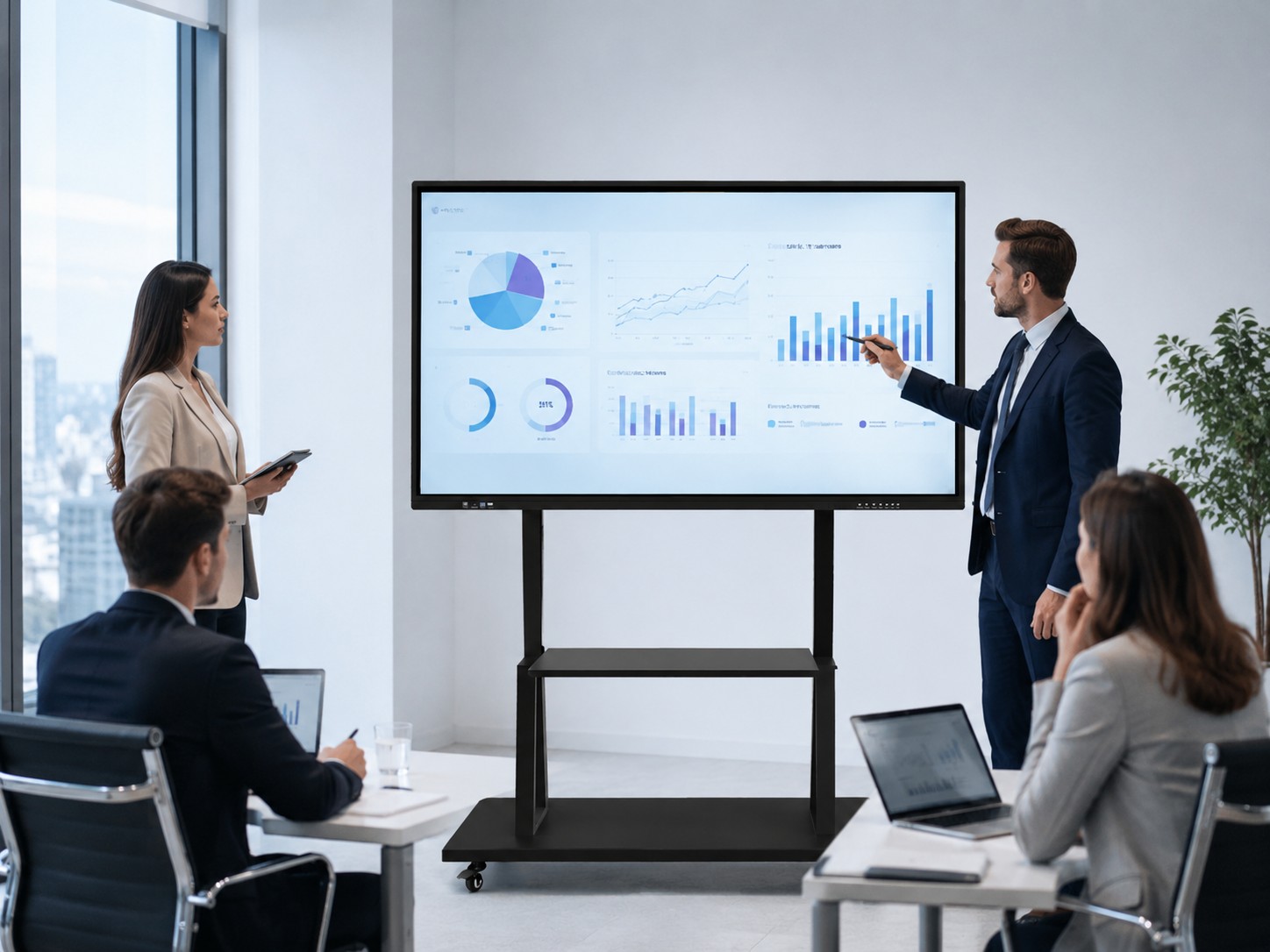
Interactive Interactive touchscreen whiteboard for meetings and training
03 · Meetings and training

Interactive touchscreen whiteboard

Ideal for meetings, training, presentations and collaboration. It enables direct interaction with content, real-time annotations and connection to external devices.

  • Touch-enabled meetings and presentations
  • Training and team collaboration
  • Annotations and digital whiteboard
  • Connects to PC, tablet and phone
  • Professional use in corporate rooms
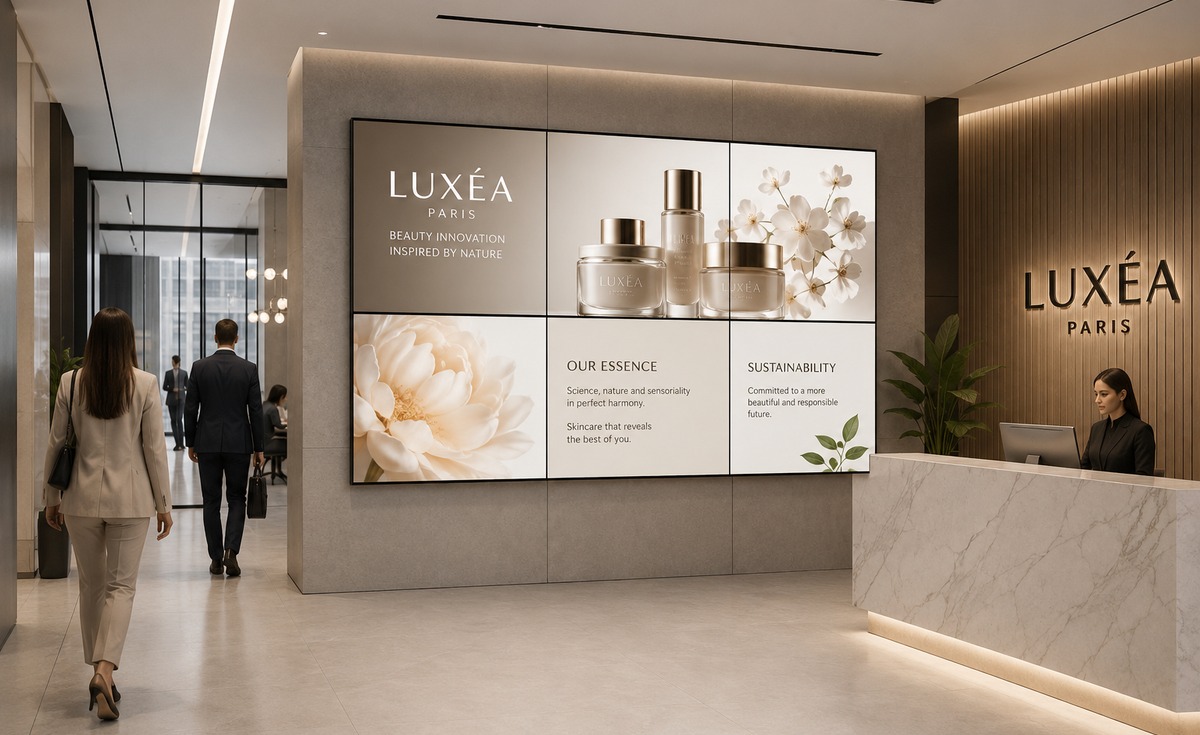
Modular LCD video wall display for offices and companies
04 · Large format

Modular panel

A large-format visual solution for receptions, corporate rooms, auditoriums, lobbies and presentation spaces. It lets you create elegant, scalable video walls tailored to each company's image.

  • Ideal for receptions and lobbies
  • Bespoke modular video wall
  • High resolution for presentations
  • High-impact corporate image
  • Remote content management
Shop window Shop window display for offices and companies
05 · Façade and exterior

Shop window display

The ideal solution for communicating services, promotions, opening hours, corporate campaigns and key messages from the shop window. It turns the façade into an active communication channel.

  • Visible from outside
  • Ideal for shop windows and façades
  • Services, opening hours and campaigns
  • Continuous corporate communication
  • Remote content management
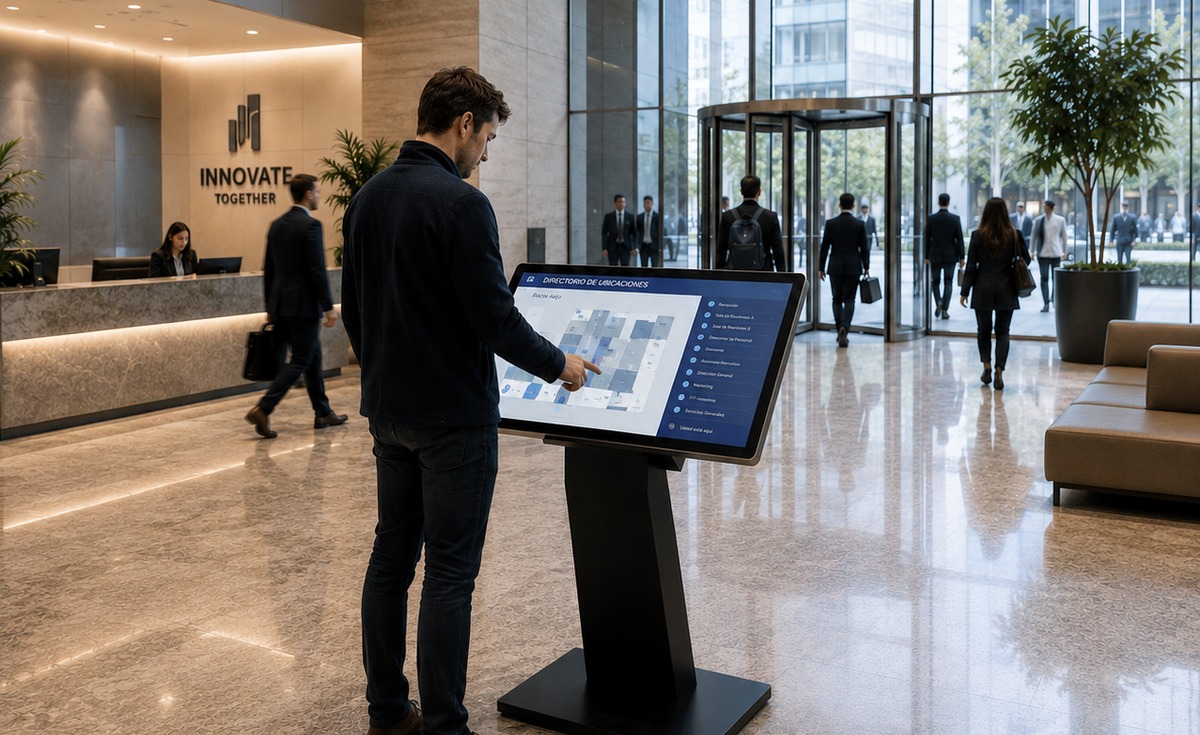
Interactive Interactive touchscreen kiosk for offices and companies
06 · Information and self-service

Interactive touchscreen kiosk for offices and companies

Designed for receptions, self-service areas, information points and corporate spaces. It lets visitors look up services, directories, appointments, documents or forms independently.

  • Interactive touchscreen
  • Directories and information points
  • Services and forms lookup
  • Ideal for reception and self-service
  • Remote management included

Why use advertising screens in offices and companies?

Visual communication shapes how customers, visitors, suppliers and employees perceive the organisation. Screens replace static signage with up-to-date content.

✕
Traditional communication

Without digital signage

  • Reception with limited communication.
  • Internal notices that go unnoticed.
  • A less tech-savvy corporate image.
  • Under-used communal areas.
  • Difficulty updating messages quickly.
Yovisual
✓
Dynamic communication

With Yovisual screens

  • A professional reception from the very first second.
  • More visible internal communication.
  • A modern corporate image.
  • Information updated in real time.
  • A better experience for customers and visitors.

Benefits of advertising screens for offices and companies

They strengthen the corporate image, improve internal communication and turn reception, meeting rooms and communal areas into more useful, professional spaces.

01
👥

An impeccable first impression

A reception with digital screens conveys organisation, technology and professionalism.

A more professional reception
02
↻

Information always up to date

Update messages, notices, events and campaigns in real time.

Up-to-date content
03
▣

Stronger corporate identity

Colours, logos and messages keep visual communication consistent.

A consistent brand
04
↗

More effective internal communication

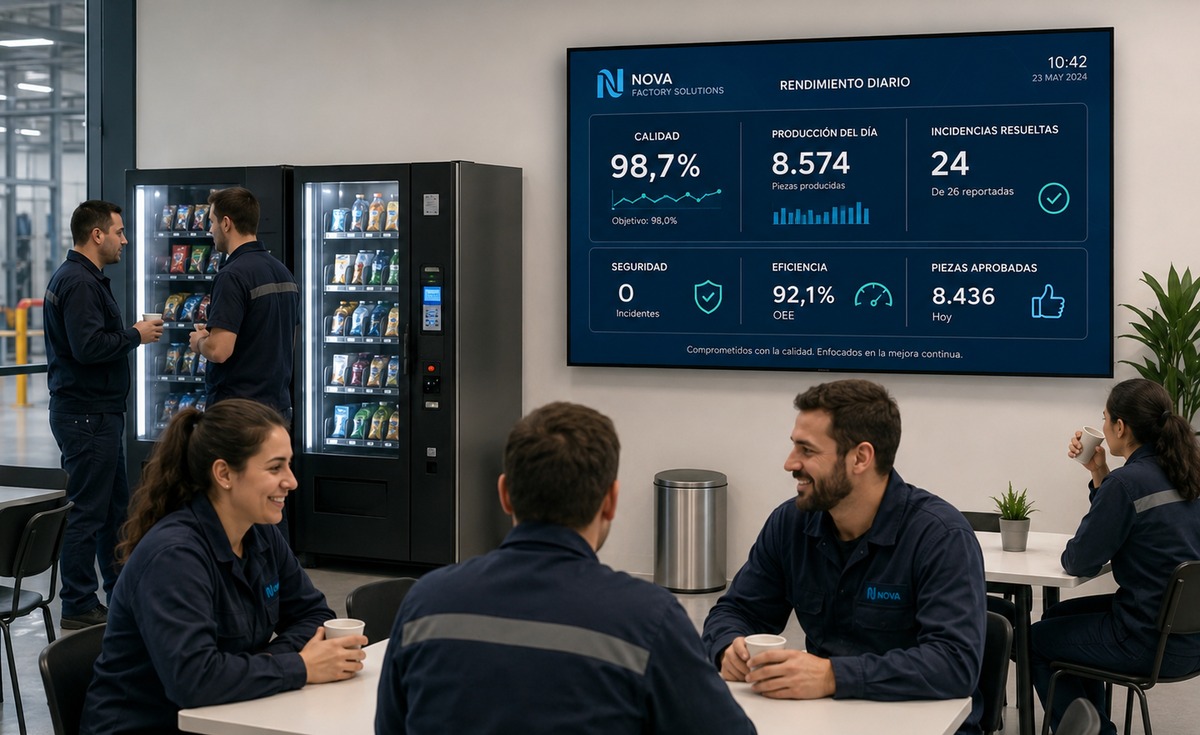
Targets, news, events, results and announcements visible to the team.

Better-informed staff
05
24

Continuous, reliable use

Equipment built to work continuously in corporate spaces.

Professional operation
06
€

Lower printing costs

Reduces printed posters, temporary vinyls and paper communication.

Less physical material
07
★

A premium, distinctive image

High resolution conveys modernity, professionalism and quality.

Greater differentiation
08
☁

Centralised cloud management

Control all your screens from a single LED Cloud platform.

One platform for all
☁
Centralised cloud management

Control all your screens from a single platform

LED Cloud lets you manage content for one site or several locations and keep messages, campaigns and communications up to date.

Request information →

What can your company show?

Screens can combine external communication for visitors with internal messages for employees and teams.

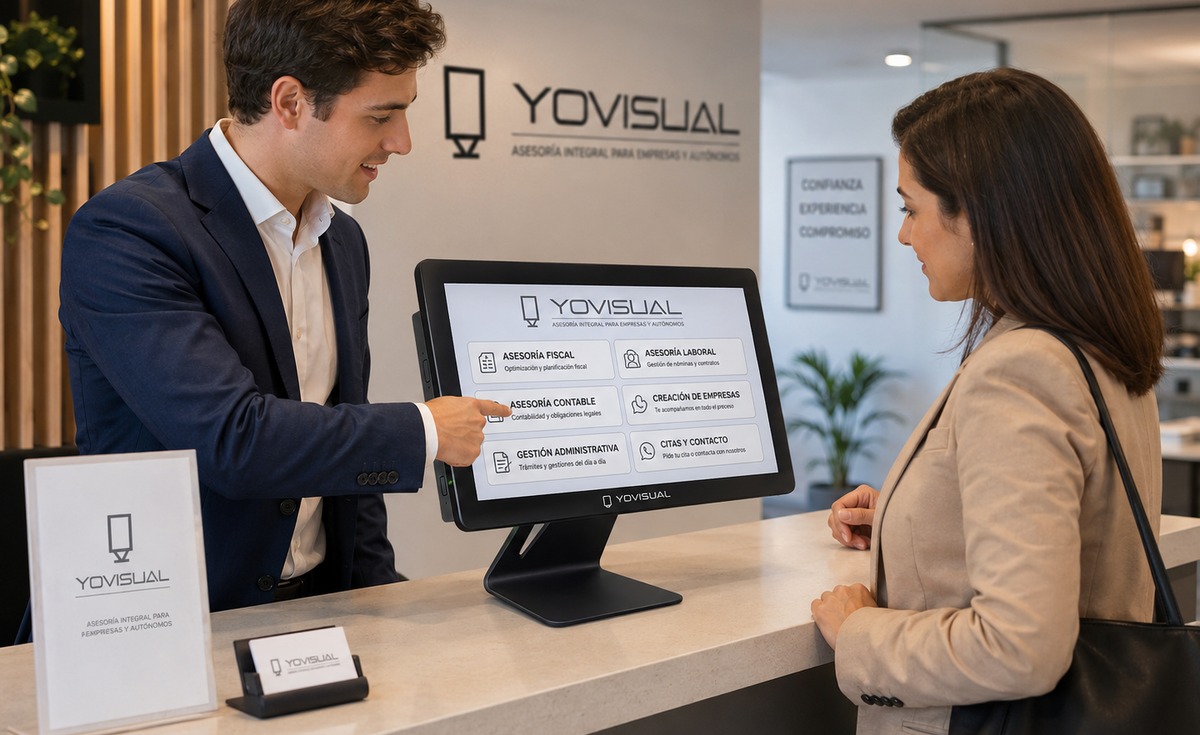
Countertop display showing corporate information at reception
Accessibility: for interactive solutions, it is advisable to follow the W3C WCAG guidelines to make information clear and easy to understand.
01

Corporate videos

02

Visitor welcome

03

Notices and announcements

04

Events calendar

05

Metrics and KPIs

06

Internal campaigns

07

Team targets

08

Corporate identity

A digital solution for every company touchpoint

From a visitor's arrival to a meeting, a presentation or an internal announcement, every space can become an active channel.

Large-format modular panel in a corporate space
1 Reception

Make an impeccable first impression

Personalised welcomes, corporate videos, services and meeting schedules.

2 Lobby

Reinforce your identity

Totems and panels that project your brand and corporate signage.

3 Meetings

Collaborate and present

Interactive whiteboards for presentations, annotations and training.

4 Team

Communicate internally

Targets, results, news, events and internal announcements.

Screens tailored to every area of the company

The solution changes according to the reading distance, the type of user and the communication goal of each space.

👋

Reception

Visitor welcome, corporate videos, services and schedule.

🏢

Lobby

Corporate image, dynamic signage and internal campaigns.

🤝

Meeting room

Presentations, collaboration and real-time annotations.

🎓

Training centre

Training content and team collaboration.

📊

Communal area

KPIs, targets, news, events and announcements.

🎤

Auditorium

Modular panels and video walls for corporate events.

🖥️

Showroom

Products, services and demonstrations in a tech-driven setting.

☝

Self-service

Touchscreen kiosks for directories, appointments and documents.

Questions about advertising screens for offices and companies

Everything you need to know before installing screens in receptions, meeting rooms and communal areas.

What can a company show on its digital screens? +

Corporate videos, personalised visitor welcomes, internal messages, notices, events, meeting schedules, metrics and KPIs, internal campaigns and service information.

Are the screens suitable for the company reception? +

Yes. A screen at reception improves visitors' first impression and lets you display welcomes, corporate videos and relevant information.

Can it be used for internal communication with employees? +

Yes. They keep the team informed about news, targets, events, results, safety notices and corporate announcements.

Is it possible to manage several screens across different sites? +

Yes. The CMS lets you control all the screens from a single cloud platform.

Which solution is best for a meeting room? +

For meeting rooms we recommend the corporate wall-mounted display or the interactive touchscreen whiteboard, especially for collaboration and annotations.

Does Yovisual offer installation and technical support for companies? +

Yes. Yovisual provides personalised advice, professional installation and ongoing technical support.

Digital corporate communication

Turn every space in your company into an active communication point

Contact Yovisual →