Manufacturing defects and faults
Covers manufacturing defects and lack of conformity: when the unit does not work properly or does not meet the agreed specifications for a covered reason.



Register your Yovisual display easily, check the warranty terms and rely on our in-house technical service for any request or issue.

We explain what your screen's warranty covers and who is responsible when you need help.
Covers manufacturing defects and lack of conformity: when the unit does not work properly or does not meet the agreed specifications for a covered reason.
From delivery, for new products purchased by consumers in Spain since 1 January 2022. Business purchases are governed by the agreed terms and applicable legislation.
Free of charge when the issue is covered by the legal consumer guarantee. Includes materials, labour and any necessary shipping or transport costs.
We handle, diagnose and repair. We manage your issue with our own team, with no intermediaries and no reliance on an external service provider.
You contact Yovisual directly. Our team handles technical support and follows up your issue from start to finish.
Registration is voluntary. Your legal guarantee does not need activating and does not depend on registering the product. Registration helps us identify your unit and speed up future requests.
The legal guarantee covers any lack of conformity existing at the time of delivery that becomes apparent within the applicable period. This may affect the picture, sound, power supply, connections or touch function where these features are part of the product purchased.
The agreed and advertised specifications, the instructions and reasonably expected durability are taken into account. Incorrect installation is also covered where it is the seller's responsibility or results from deficient instructions.
Digital elements and the updates needed to maintain conformity are subject to the applicable legal obligations.
Damage caused by knocks, drops, liquids, misuse, incorrect installation for which we are not responsible, or electrical and environmental conditions incompatible with the unit's specifications. Also normal wear and tear that does not constitute a lack of conformity.
Third-party intervention does not automatically void the entire legal guarantee. The exclusion must relate to the damage caused by that intervention.
Dead pixels, image retention and brightness variations are assessed according to their cause, the agreed specifications and the intended use. They are not automatically excluded.
If a repair is not covered, we will tell you why and give you a quote before carrying out any chargeable work.
As a consumer, you can choose between repair and replacement, unless this is impossible or the costs are disproportionate under the law. The remedy must be free of charge, carried out within a reasonable time and without significant inconvenience. Where appropriate, it will include removal and reinstallation of the unit or the related costs.
In the cases provided for by law, you may request a price reduction or terminate the contract. Termination does not apply to a minor lack of conformity. Legal time limits are suspended while the product is being brought into conformity.
To request assistance, contact contact@yovisual.com or call +34 961 23 25 11. Please provide the model, proof of purchase and a description of the problem. If possible, attach photos or a video.
Before sending the unit, contact us to receive handling and shipping instructions. You do not need to keep the original box to exercise the legal guarantee, but the unit must be suitably protected in transit.
For purchases made for business or professional purposes, cover is determined by the terms of sale, the agreed commercial warranty and the applicable legislation. The three-year legal period for consumers does not automatically apply to these transactions.
The European Union sets a minimum of two years' protection for goods bought by consumers, which national legislation may extend. In international transactions, the applicable mandatory rights will be respected.
This summary does not limit your statutory rights or any more favourable commercial warranties offered with your purchase.
More information: Spanish Royal Legislative Decree 1/2007 and consumer guarantees in the European Union .
Registration lets us identify your screen, link it to your purchase details and speed up help with future enquiries or technical requests.
Your unit is linked to your contact details, proof of purchase and serial number.
Our team will be able to find your product information more easily.
Makes future enquiries, repairs and recommendations relating to your unit easier.
It helps us provide more precise support based on the model and specifications of the product purchased.
Registering your Yovisual display gives us the information we need to handle your enquiries and provide more efficient support.
Before you start, have your unit's model, serial number and purchase information to hand.
Registration is optional and does not change the start, duration or rights of your legal guarantee.
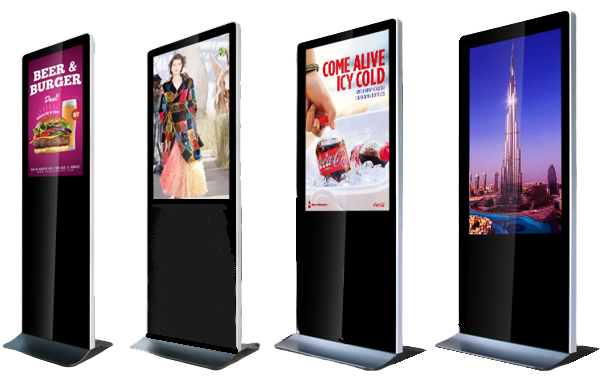
Go to the form at the bottom of this page. There you can enter your contact details and your unit's information.
If you already have an issue, you can contact our technical service directly without registering the product first.
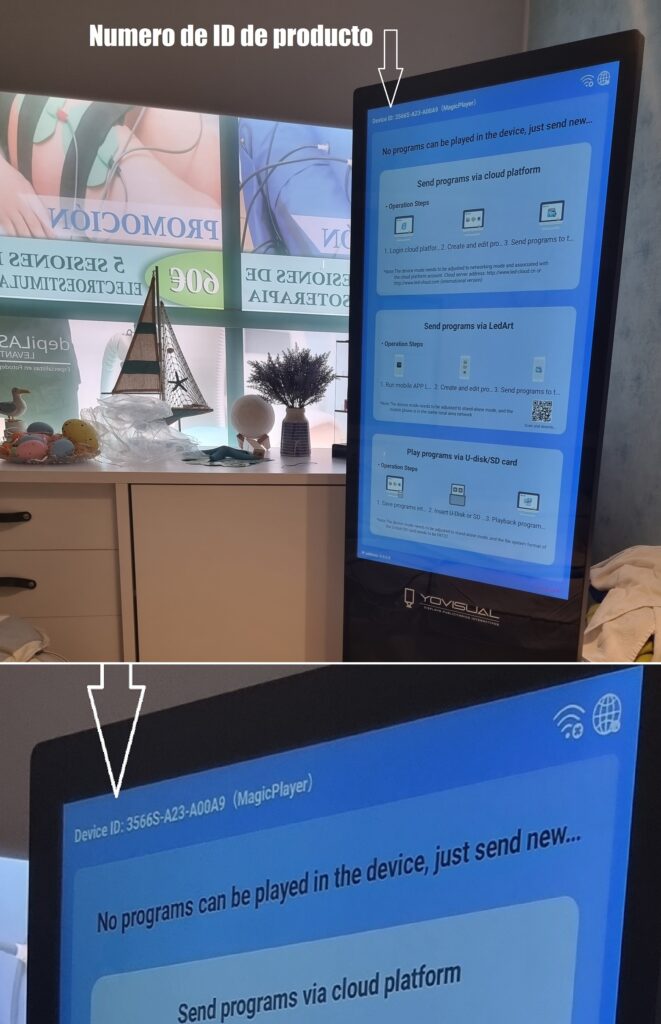
The model and serial number usually appear on the technical label or in the unit's documentation. Some devices also show a Device ID on the start screen or in the management software.
The Device ID may differ from the serial number. Give us whichever identifier you have and we will help you locate your unit.
If the screen won't switch on or you can't find these details, contact us and we will help you identify it.
YOSAN, S.A. is the controller of the data provided to manage registration and support requests. See the information on how your data is processed and how to exercise your rights in our privacy policy .

Rely on our in-house technical service and direct support to answer your questions and help you get the most from your screen.