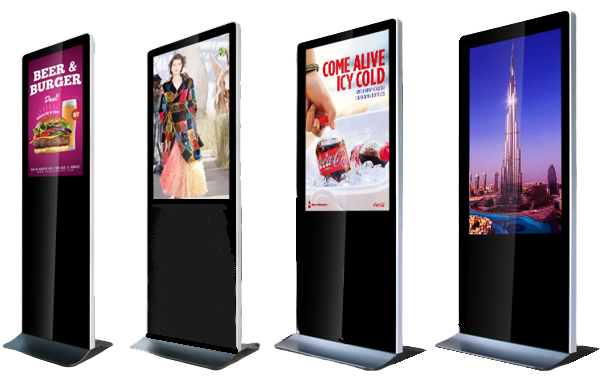
One layout, several types of content.
LedArt lets you work with different elements and combine them on the same screen to create designs that are far more useful than simple linear playback.
LedArt is the control app used with compatible Yovisual LED and LCD screens. It lets you create programmes, add videos, images, text or clocks, organise content by area and send it directly to the controller from a mobile device.
LedArt lets you control LED and LCD screens from a mobile phone or tablet, so you don't need a computer for everyday editing, scheduling and content sending.
Once the device is connected to the controller, you can create a programme, set the screen resolution, add multimedia content, arrange the playback areas and publish the result directly to the screen.
Rather than an endless technical list, LedArt brings everyday tasks together in a simple flow: create, compose, schedule, send and control.
Add one or more files, adjust their playback area and set duration, animations and entry mode.
Multimedia contentCreate text areas and change the font, size, colour, background and duration. You can also add the time with display options.
Dynamic informationSplit the screen into different areas and overlay video, images, text or a clock to create richer layouts.
Section-based designSet the broadcast date, time, days of the week and duration to automate campaigns and avoid out-of-date content.
AutomationProtect uploads with a password to prevent unauthorised changes in shared or public installations.
Operational securityManage time, resolution, screen parameters, firmware and other technical settings when the controller requires it.
Technical settingsYovisual's professional manual sets out how to use LedArt in a very clear flow: prepare, install, connect and publish.
Check the screen type, the compatible controller and the connection method available before creating content.
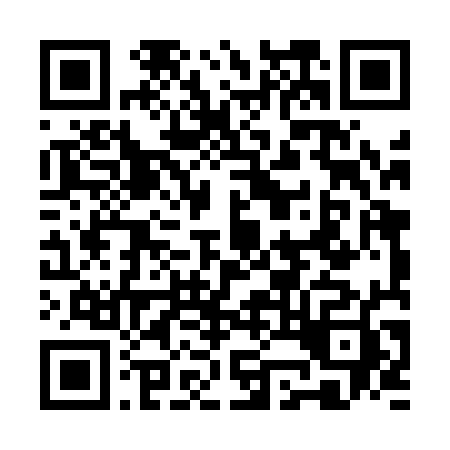
Download the app using the QR code or the compatible app store and complete the installation on your phone or tablet.
Connect via the controller's Wi‑Fi access point or work within the same local LAN network.
Add video, images, text or the time, schedule the broadcast and send one or more programmes to the controller.
LedArt lets you set dates, times, days of the week and playback duration. This is especially useful when a screen shows different campaigns depending on the time of day or season.
The app can connect directly to the controller's Wi‑Fi access point or find the device when it is integrated into the same LAN.
From LedArt's remote module you can carry out everyday operations without going to the unit's physical menu.
LedArt can also correct the time automatically, use the phone's time or let you set it manually.
LedArt lets you work with different elements and combine them on the same screen to create designs that are far more useful than simple linear playback.
The professional LedArt manual covers LED controllers from various series and compatible LCD controllers. Before setting up the app, it is advisable to check the installed controller and the connection method available.
Yovisual offers different methods for loading content. LedArt is designed for app-based control connected to the controller; Led‑Cloud enables remote management over the internet.
An app for creating programmes, connecting to the controller, sending content and controlling device functions from a phone or tablet.
A cloud-based platform for managing screens over the internet from anywhere with a linked account.
Scan the QR code to download the app and use Yovisual's professional manual as a guide to connecting, creating programmes, sending content, remote control and settings.
Availability and the installer may vary depending on the system and version used. If you have any questions about compatibility, contact Yovisual support.
A quick summary of the most common questions about connection, content, scheduling and control.
Not for everyday tasks. Yovisual's manual describes LedArt as a solution for controlling LED and LCD screens from a mobile phone or tablet, including editing and sending content.
You can use a direct connection to the controller's Wi‑Fi access point, or a connection within the same LAN when the controller is integrated into the local network.
The manual covers video, image, text and clock areas. The different areas can be resized, moved and overlaid to create layouts.
Yes. LedArt lets you set the programme's broadcast date, time, days of the week and playback duration.
The remote control module allows actions such as turning on or off, switching programme, playing or pausing, adjusting volume and changing brightness, provided the installation and controller are compatible.
Before changing technical settings, it is advisable to identify the model and installed configuration. If it is a Yovisual screen, you can contact support to confirm compatibility and the correct procedure.