Schools · Academies · Universities · Training

Advertising Screens for Education

More visual classrooms and communication that reaches the whole school.

Advertising screens for education that modernise communication in schools, academies, universities and training centres with interactive whiteboards and visual solutions for classrooms, corridors, receptions and communal areas.

✓ Notices updated in real time
✓ More visual, interactive classrooms
✓ Information available 24/7
✎
Classrooms More visual and interactive
↻
Notices Updated in real time
Classrooms more visual and interactive
Real time updated notices and timetables
24/7 information available
4 recommended solutions

Advertising screens for education in every learning space

Four solutions for classrooms, training rooms, entrances, corridors, communal areas, the school office and reception.

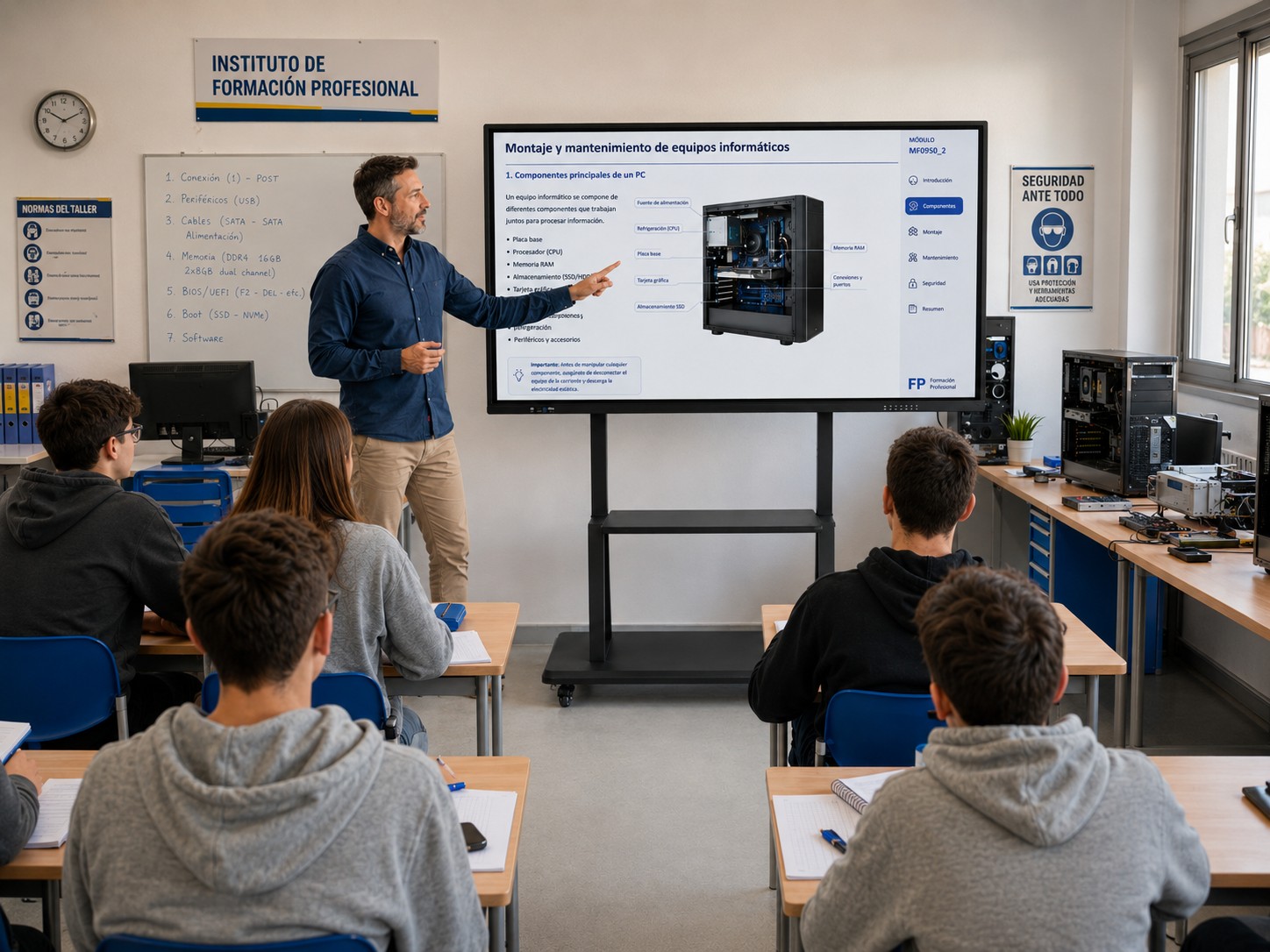
Classrooms Advertising screens for education with an interactive whiteboard in a classroom
01 · Classroom and training

Interactive Whiteboard

Ideal for classrooms, training rooms and language, tutoring or vocational training centres. It enables more participative and visual lessons.

  • Videos, documents and presentations
  • On-screen writing and annotations
  • Interactive exercises and content
  • More visual, dynamic lessons
  • Adaptable to different education levels
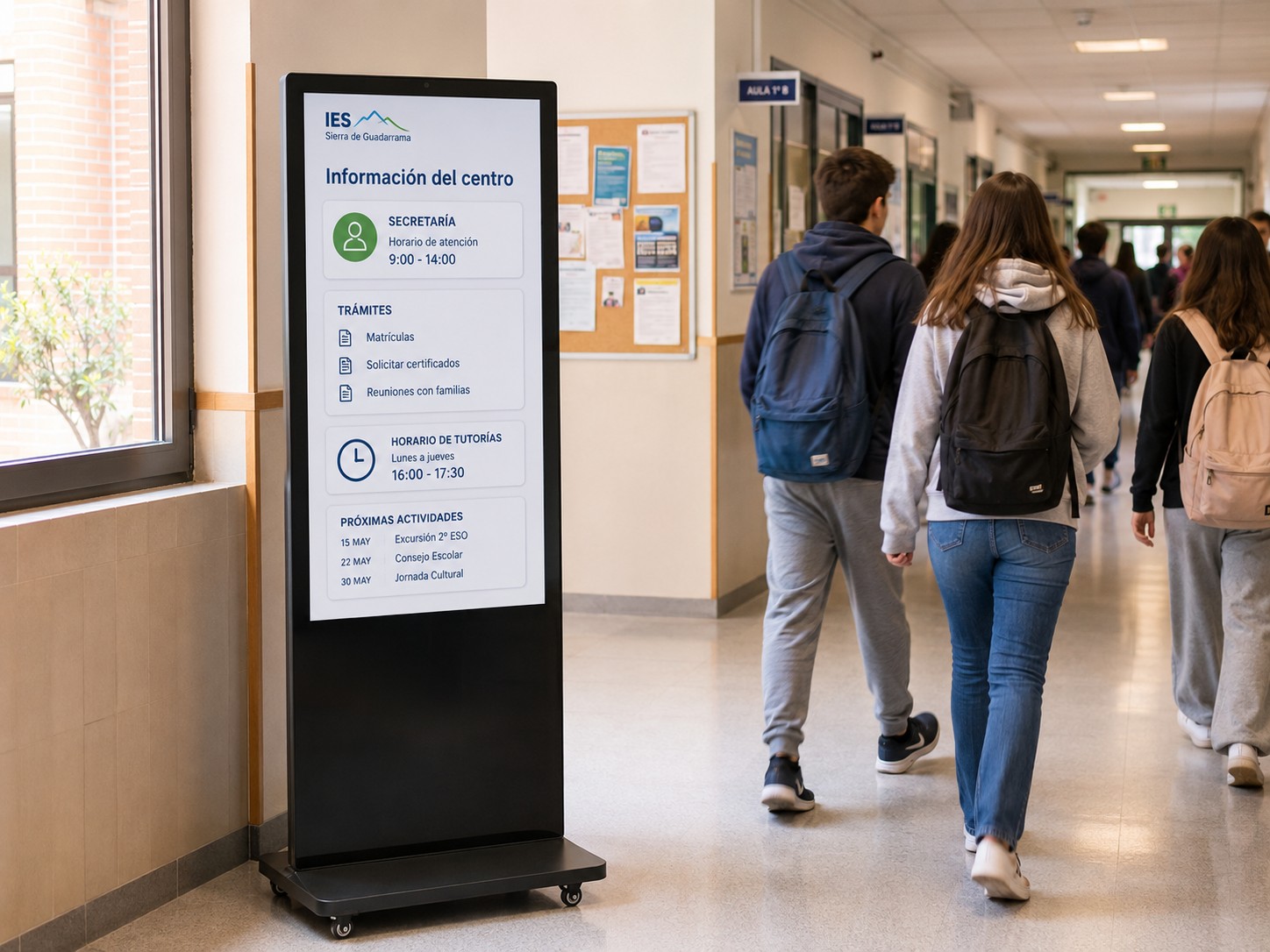
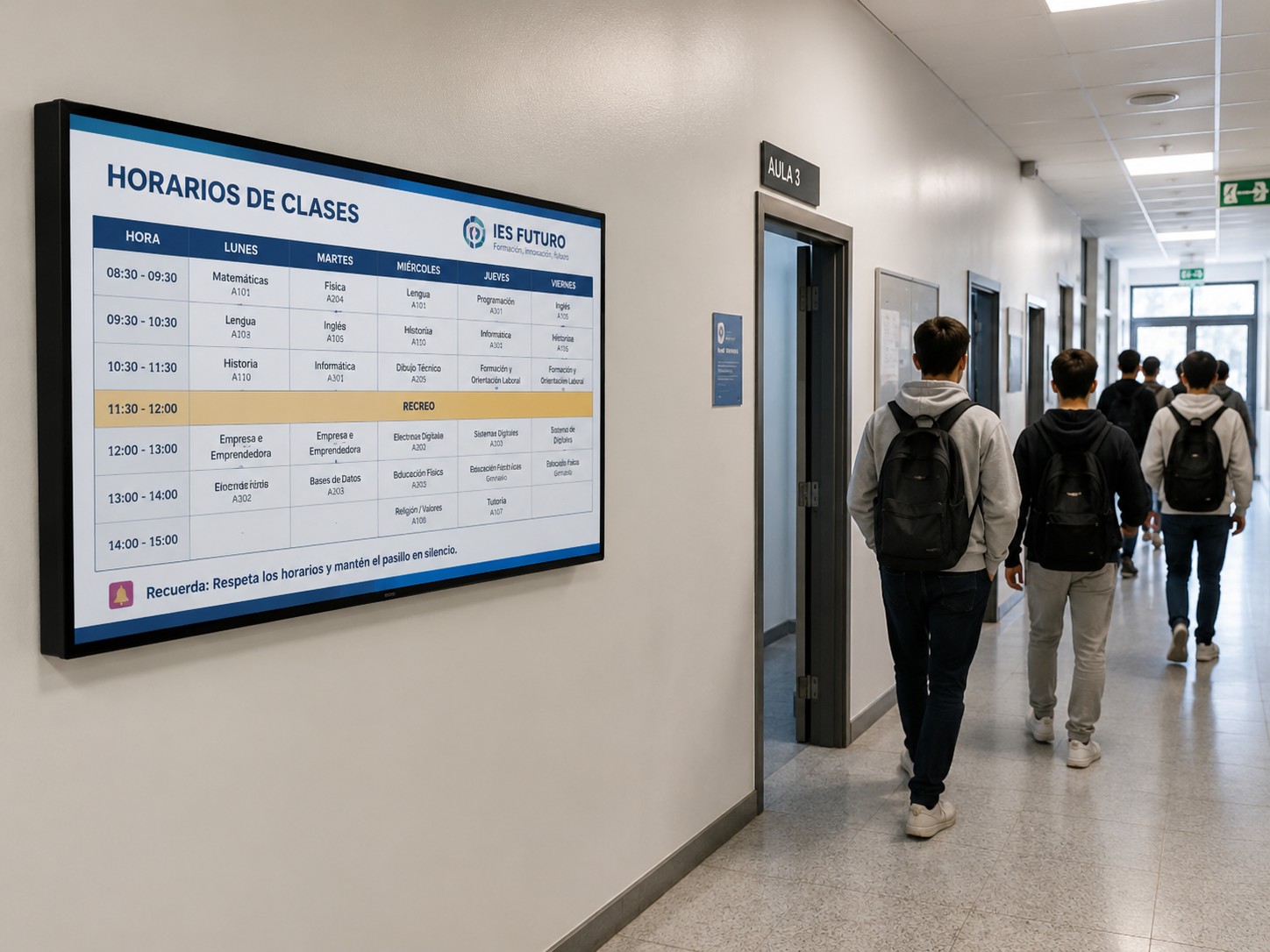
Entrances Digital information totem in a school corridor
02 · Corridors and reception

Indoor Portrait Totem

Perfect for entrances, reception, corridors and communal areas. It presents notices, timetables, directions and activities in a visible, modern format.

  • High visibility in through areas
  • School information and wayfinding
  • Timetables, events and announcements
  • Content updated in real time
  • Professional indoor design
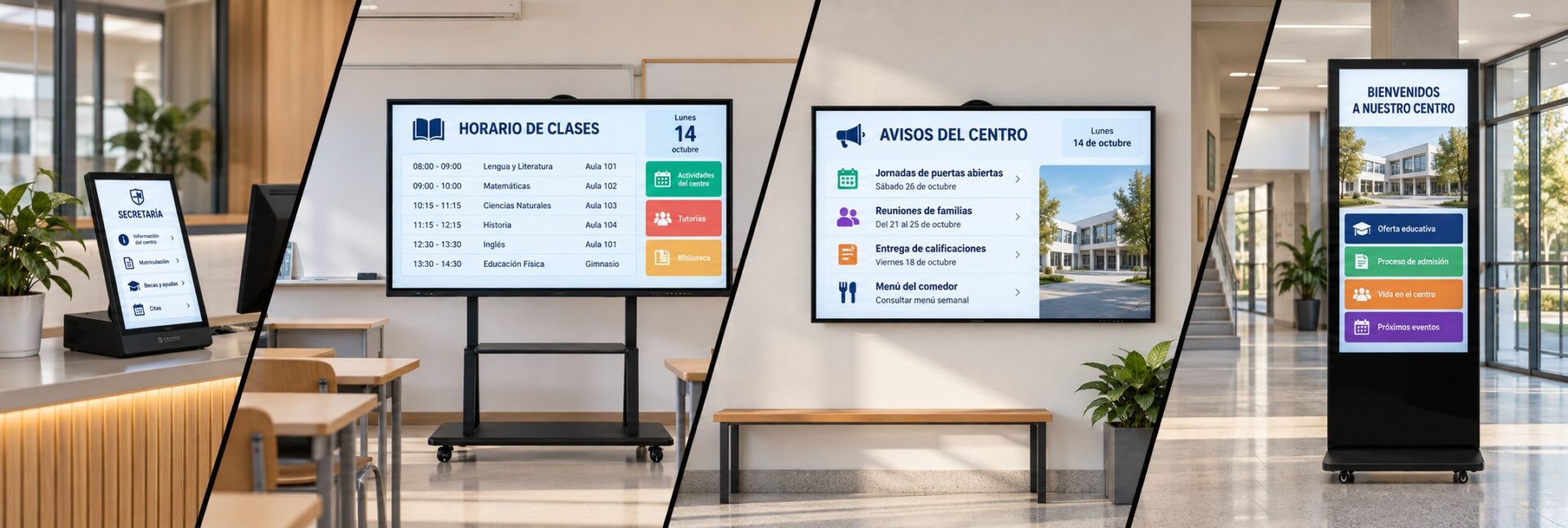
Communal areas Wall-mounted information display for schools, academies and universities
03 · Halls and general communication

Shop Window Display

Recommended for halls, assembly halls, dining halls, libraries or information areas where you need to communicate with large groups.

  • General notices and announcements
  • School menus and timetables
  • School events and activities
  • Educational videos and presentations
  • Landscape or portrait installation
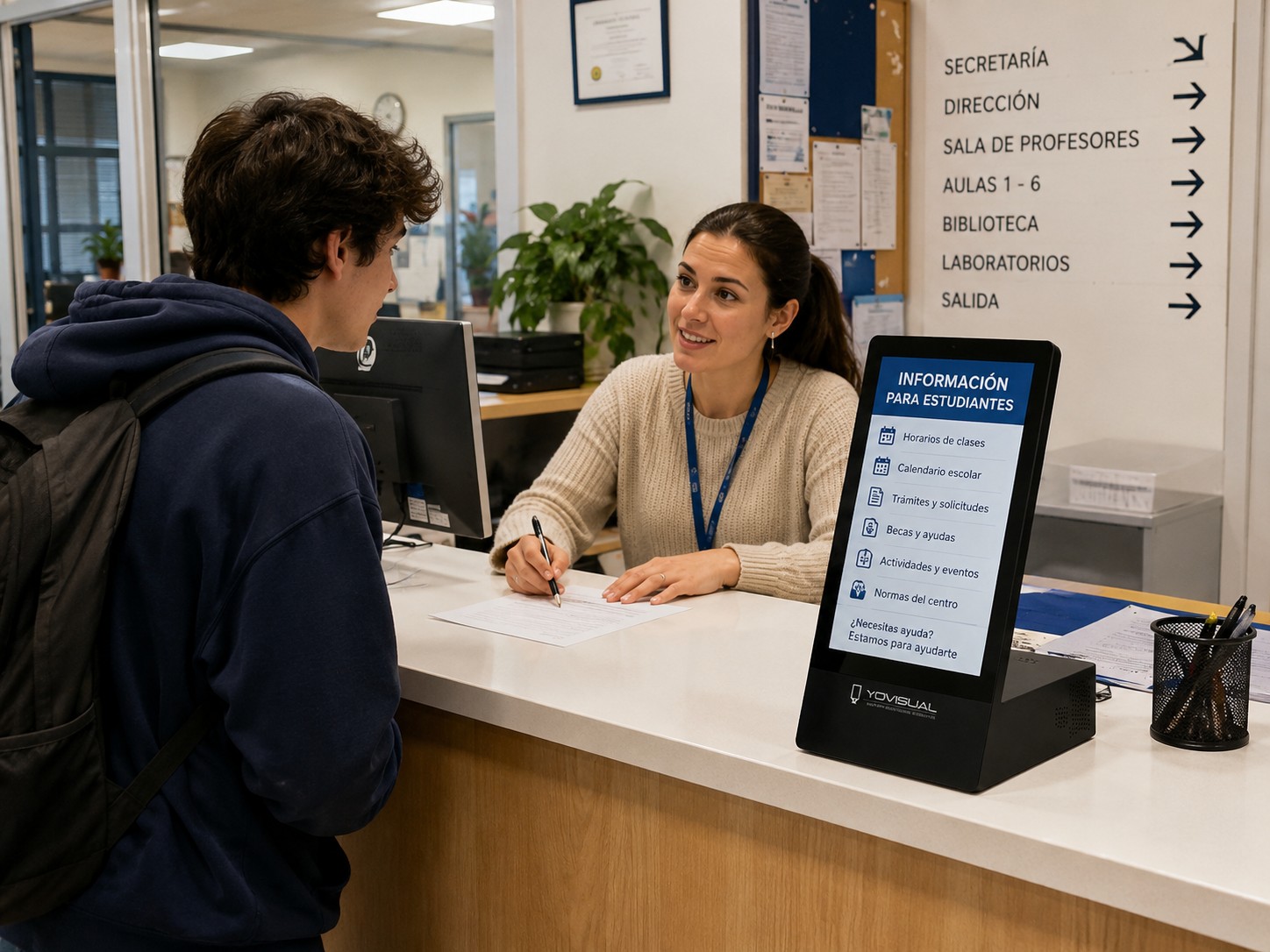
School office Countertop display for a school office and reception
04 · Family support

Countertop Display

Useful in the school office, reception or parent help desks to show practical information in a compact, friendly format.

  • School office notices
  • Information for families
  • Opening hours and public service
  • Compact, professional format
  • Easy content updates

Clear, organised and up-to-date information throughout the school

Digital communication reduces reliance on printed posters and lets you respond quickly when a timetable, activity or notice changes.

✕
Traditional communication

Without digital screens

  • Cluttered printed signage.
  • Notices that go unnoticed.
  • Difficulty updating information quickly.
  • Less dynamic classrooms.
  • Not very visual communication with students and families.
Yovisual
✓
Digital school

With Yovisual screens

  • Clear information in corridors, entrances and reception.
  • Interactive whiteboards for more dynamic lessons.
  • Notices updated in real time.
  • A more tech-savvy image for the school.
  • More engaging communication for students and families.

Benefits of advertising screens for education

They keep students, teachers, families and visitors informed, improve organisation and present learning content in a more visual and orderly way.

01
✎

More visual lessons

Interactive whiteboards let you explain content with videos, diagrams, documents, exercises and annotations directly on screen.

More interaction in the classroom
02
💬

More effective internal communication

Screens in corridors or reception help display notices, timetables, events and important announcements clearly.

More visible information
03
★

A modern image for the school

A school or academy with digital solutions conveys innovation, organisation and adaptation to new ways of learning.

A more tech-savvy school
04
↓

Savings on printed signage

Changes are made from a digital platform, with no need to print new notices every week.

Lower recurring costs
05
↻

Up-to-date timetables and notices

Publish class timetables, cover arrangements, meetings and school office notices quickly and centrally.

Instant updates
06
▦

Events and activities

Raise the profile of extracurricular activities, open days, trips, ceremonies and school events.

Greater participation
07
👥

Information for families

Show announcements, school menus, meetings, office hours and other information of interest to families.

Closer communication
08
▶

Learning content

Play educational videos, presentations, documents and visual content tailored to each classroom or space.

More teaching resources
☁
Centralised digital management

Update notices, timetables and content whenever the school needs to

Publish timetable changes, cover arrangements, meetings, events and announcements without relying on printed signage.

Request information →

What can a school show?

The same screen network can combine operational information, learning content, communication with families and school events.

Interactive whiteboard used for learning content in a classroom
Digital transformation: the roll-out can be integrated into the school's digital plan, such as the DfE digital and technology standards for schools.
01

Timetables and cover arrangements

02

Events and activities

03

Open days

04

School office notices

05

Information for families

06

School menus

07

Educational videos

08

Presentations and learning content

A digital solution for every area of the school

From the classroom to the school office, each format can meet a specific need for learning, information or wayfinding.

Modern classroom equipped with digital solutions for education
1 Classrooms

Teach interactively

Whiteboards for videos, documents, annotations, exercises and direct participation in class.

2 Corridors

Inform in real time

Totems with notices, timetables, changes, directions and events in through areas.

3 Communal areas

Communicate with large groups

Screens for halls, dining halls, libraries and assembly halls with general information.

4 School office

Help families

Compact screens with opening hours, announcements, meetings and public service information.

Key locations in schools, academies and universities

The page's original images represent the main installation points without adding external photographs.

Interactive whiteboard installed in a classroom
01 · Learning

Classrooms and training rooms

Videos, documents, exercises, touch writing and interactive content for more visual lessons.

Digital totem installed in a school corridor
02 · Moving around

Entrances and corridors

Notices, timetables, directions, cover arrangements, activities and important messages for students and visitors.

Information display installed in a school communal area
03 · Community

Halls, dining hall and library

General announcements, school menus, events, videos and content aimed at large groups.

Countertop display installed in a school office
04 · Support

School office and reception

Opening hours, meetings, open days, information for families and public service.

Your questions about advertising screens for education answered

Everything you need to know before adding digital signage and interactive whiteboards to your school.

Which institutions can use advertising screens for education? +

Yovisual solutions can be installed in primary and secondary schools, academies, universities, vocational training centres, language schools and any space dedicated to teaching or training. The roll-out can be integrated into the school's digital plan, such as the DfE digital and technology standards for schools.

What content can be shown on the screens? +

You can show class timetables, events and activities, open days, school office notices, information for families, school menus, educational videos, presentations and learning content.

Can notices be updated in real time? +

Yes. Content can be edited from a digital platform to quickly publish timetable changes, cover arrangements, meetings, announcements or any urgent notice.

Which solution is best for a classroom? +

The interactive whiteboard is the most complete option for classrooms and training rooms, as it lets you show videos, documents, diagrams and exercises, as well as annotate directly on the screen.

Where should a totem or wall-mounted display be installed? +

The portrait totem works very well in entrances, receptions, corridors and communal areas. The wall-mounted display is recommended for halls, assembly halls, dining halls, libraries and information areas.

Can the screens be used to inform families? +

Yes. At reception or in the school office they can show opening hours, meetings, open days, school menus, activities, announcements and other useful information for parents and guardians.

Do they help reduce printed signage? +

Yes. Notices are updated digitally, so you no longer need to print and replace posters every time a timetable, activity or school announcement changes.

Digital signage and interactive classrooms

Modernise your school's communication and make sure information reaches everyone

Contact Yovisual →