


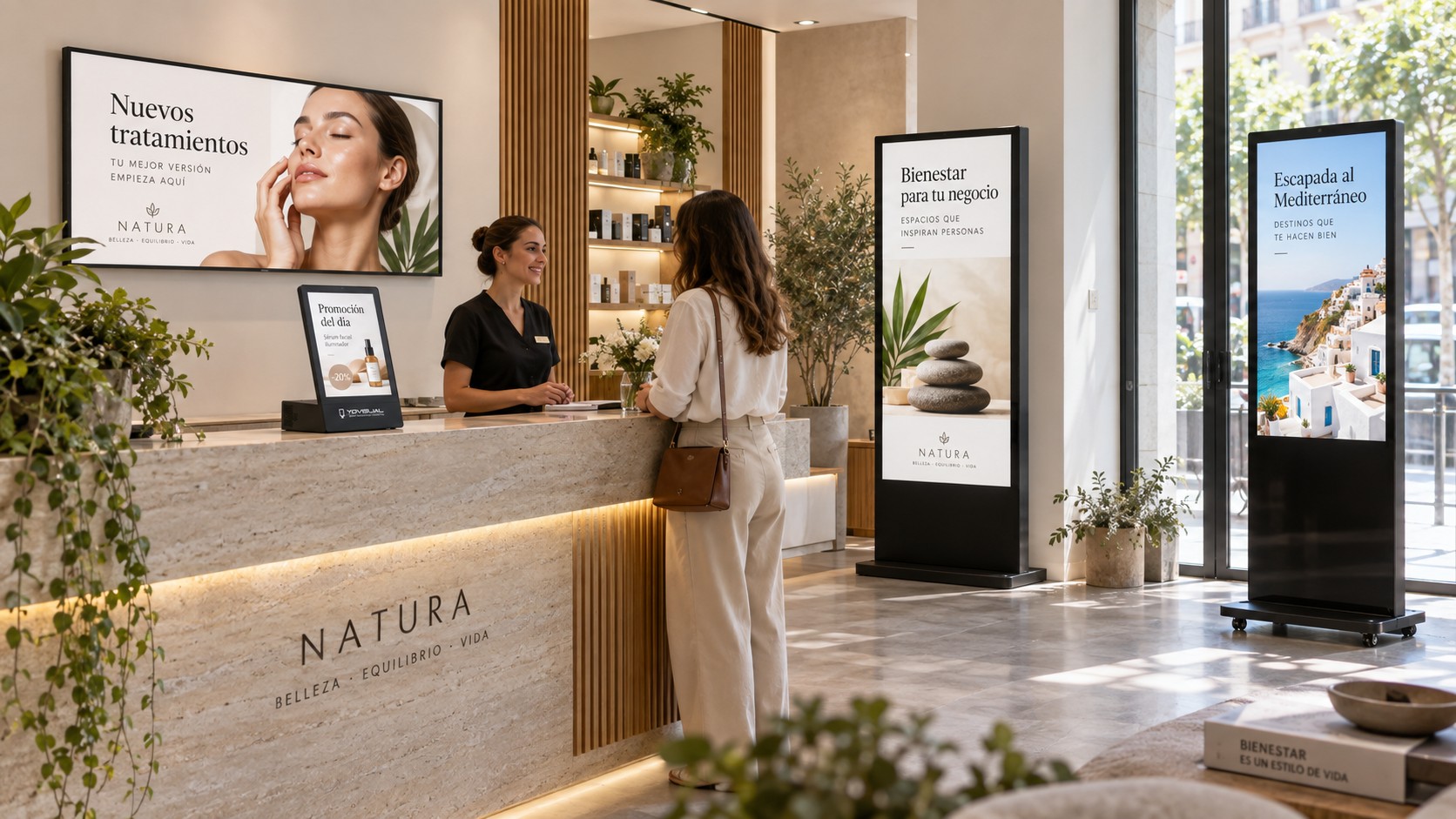
How to Choose the Right Advertising Screen
Choosing an advertising screen is not simply a matter of deciding how many inches you want. The location, the light it receives, the distance from which it will be viewed, the type of content and the level of interaction you need can mean that two seemingly similar screens deliver very different results.
In this guide we look at how to choose an advertising screen for a business, and at what to check before deciding between a shop window display, a totem, a countertop solution, an outdoor unit or an interactive screen.
Before choosing a screen, think about what you want to achieve
Your first decision should not be the size of the screen, but its purpose. A screen designed to catch the eye of passers-by in the street needs different features from one placed on a clinic reception desk, or from a kiosk used directly by customers.
Before comparing models, ask yourself: what do I want this screen to do?
- Attract attention from the street.
- Display promotions and products.
- Inform customers inside the premises.
- Display menus, prices or services.
- Let users look up information.
- Handle orders or self-service processes.
- Guide visitors.
- Strengthen your brand image.
Defining your objective narrows the options considerably. On Yovisual’s types of LCD screens page you can compare the main formats available for indoor, outdoor, shop window, self-service and interactive communication.
1. Decide where the screen will be installed
Location is one of the factors that most influences your choice. Installing a screen inside a shop is not the same as placing it behind a shop window or directly outdoors.
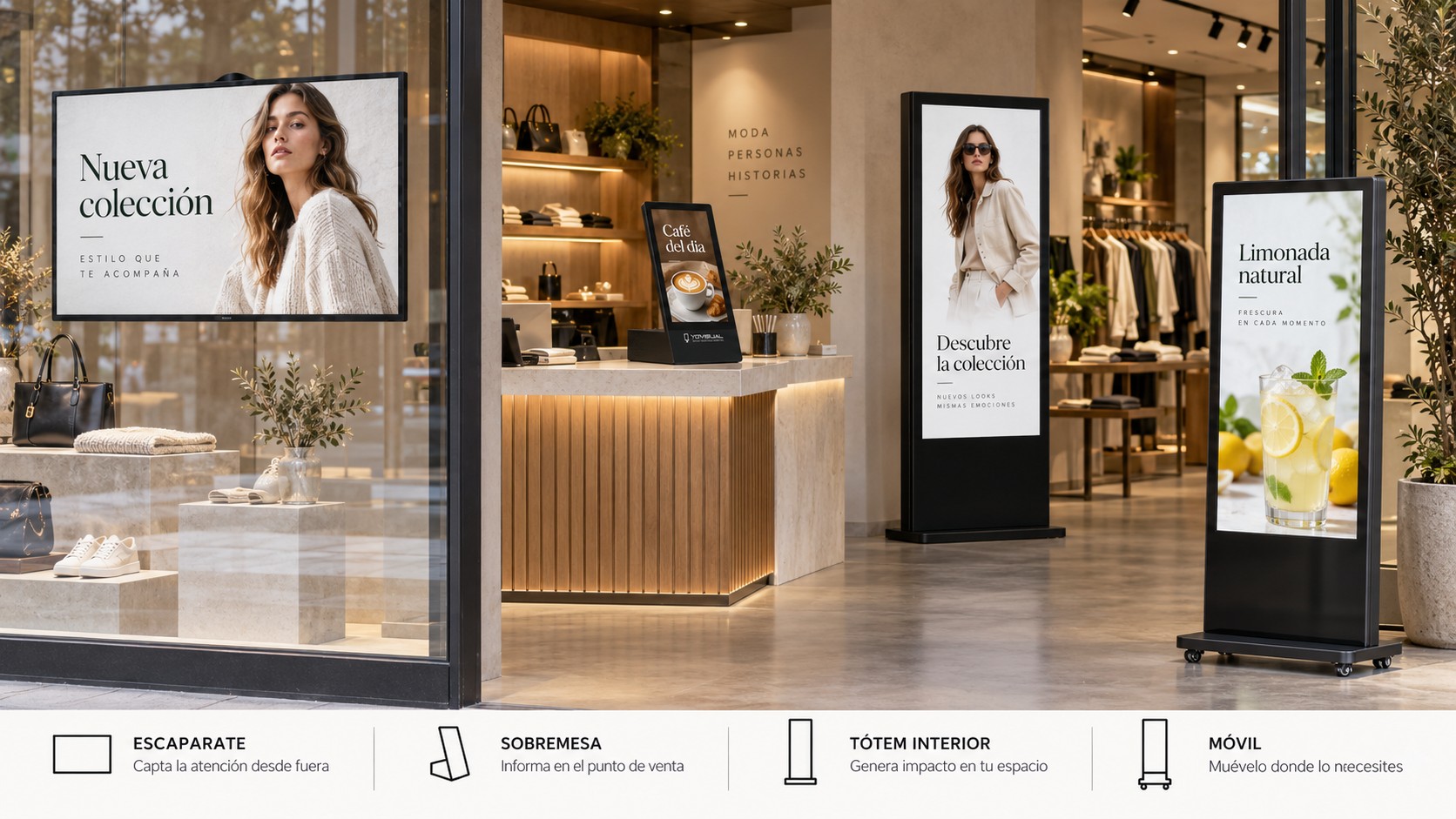
Indoor screens
Indoors there is greater control over lighting, temperature and exposure to water or dust. This makes it possible to use solutions designed for shops, receptions, clinics, hotels, restaurants, offices or shopping centres.
In these settings you can choose between portrait or landscape formats, totems, touchscreens or compact solutions, depending on the space available.
Shop window screens
A shop window poses a different challenge: although the screen is physically inside the premises, it has to compete with the light coming in from outside.
That is why there are shop window advertising screens designed to remain clearly visible when the content is viewed from the street.
Using a standard screen behind brightly lit glazing can make the image lose impact during the brightest hours of the day.
Outdoor screens
When the unit is directly exposed to the elements, you need to consider not only brightness but also the protection of the enclosure, the operating temperature and exposure to water or dust.
Ingress protection ratings are standardised through the IP code defined in IEC 60529. When comparing outdoor units, it is worth checking the specific characteristics of each model rather than relying on its trade name alone.
If you need to move the screen between different locations, there are solutions such as the portable outdoor battery totem.
2. Brightness must suit the ambient light
A screen can offer excellent image quality and still be hard to see if its brightness does not match the environment in which it is installed.
Indoors there is greater control over lighting. In shop windows or outdoors, the screen has to contend with reflections, strong ambient light and, depending on the location, direct sunlight.
The Digital Signage Federation lists brightness, size and resolution among the basic factors to analyse when selecting a display for digital signage.
Look for the right brightness level for the place where the screen will operate.
3. Size depends on viewing distance
A bigger screen does not always mean a better installation. It should be in proportion to the space and to the distance from which the audience will view the content.
If someone is just a few centimetres from the screen, as at a counter, a compact format may be more comfortable.
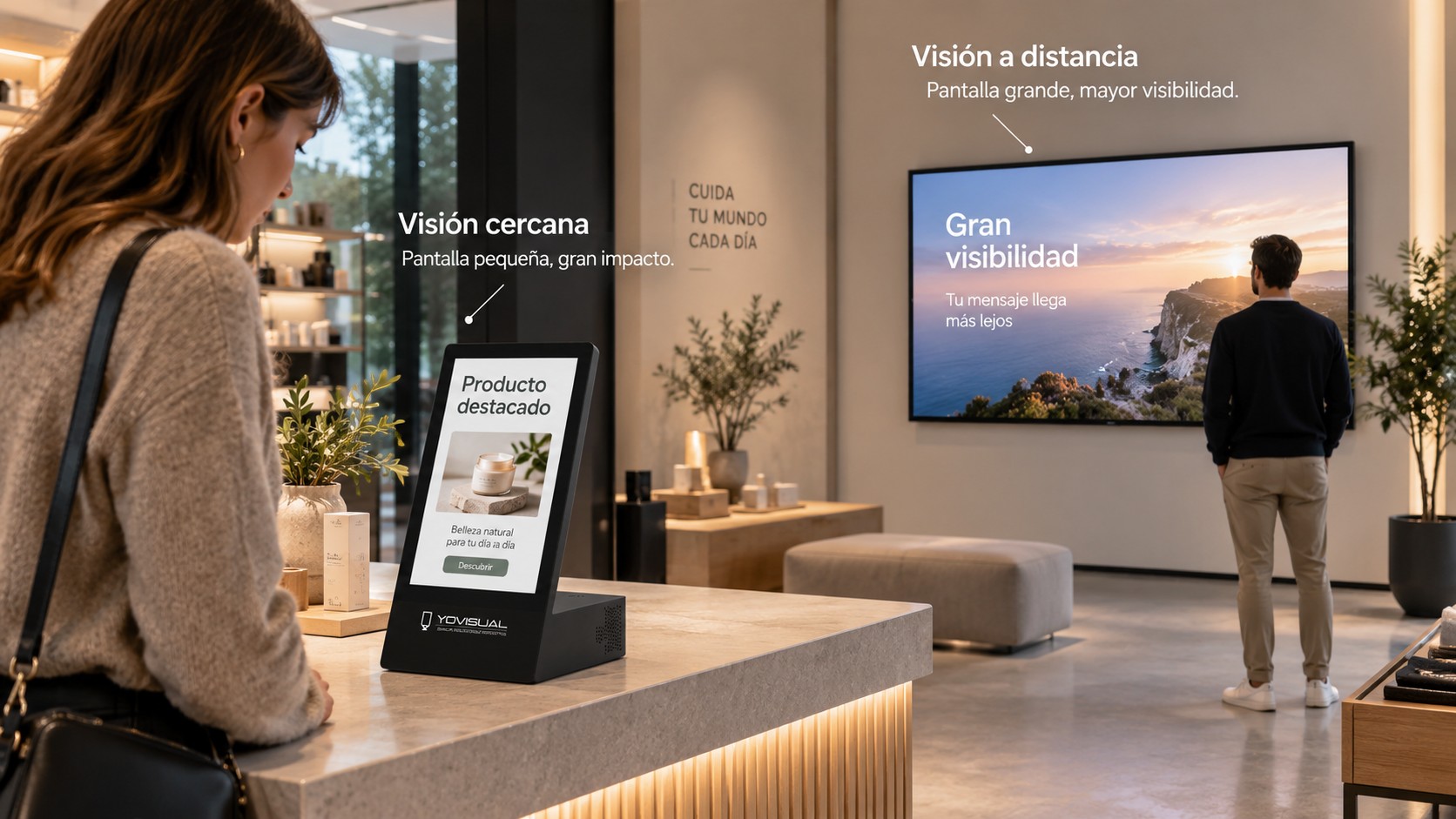
When content needs to be seen from several metres away, the size, the typography used and the amount of information shown at once become far more important.
The ISO 23456-1 standard on dynamic signage covers aspects such as visibility, legibility, comprehension and environmental conditions.
Before buying a screen, measure roughly where your audience will view it from. That distance is far more useful than choosing the size in inches purely on personal preference.
4. Consider whether you need portrait or landscape format
The orientation should also reflect the content and the location.
Portrait format
It works particularly well for promotions, full-length images of people, retail signage, directories and brand communications.
Advertising totems make the most of this format to create a recognisable visual focal point in entrances, corridors, receptions and retail areas.
Landscape format
This may be better suited to widescreen video, menus, corporate information, presentations or content that needs to spread several elements across the width of the screen.
There is no universally better orientation: it depends on the space and on the content you plan to show.
5. Not every screen needs to be large
A common mistake is to associate digital signage with large formats. In some businesses, the point with the greatest power to influence is just a few centimetres from the customer.
At a reception desk, clinic, till point or counter, a countertop advertising screen may be the better choice.
This type of solution lets you display promotions, services, information or catalogues without taking up a large area.
The best screen is not always the biggest, but the one in the right place.
6. Decide whether users should simply watch or also interact
A traditional advertising screen plays content. An interactive screen adds the possibility for the user to take part.
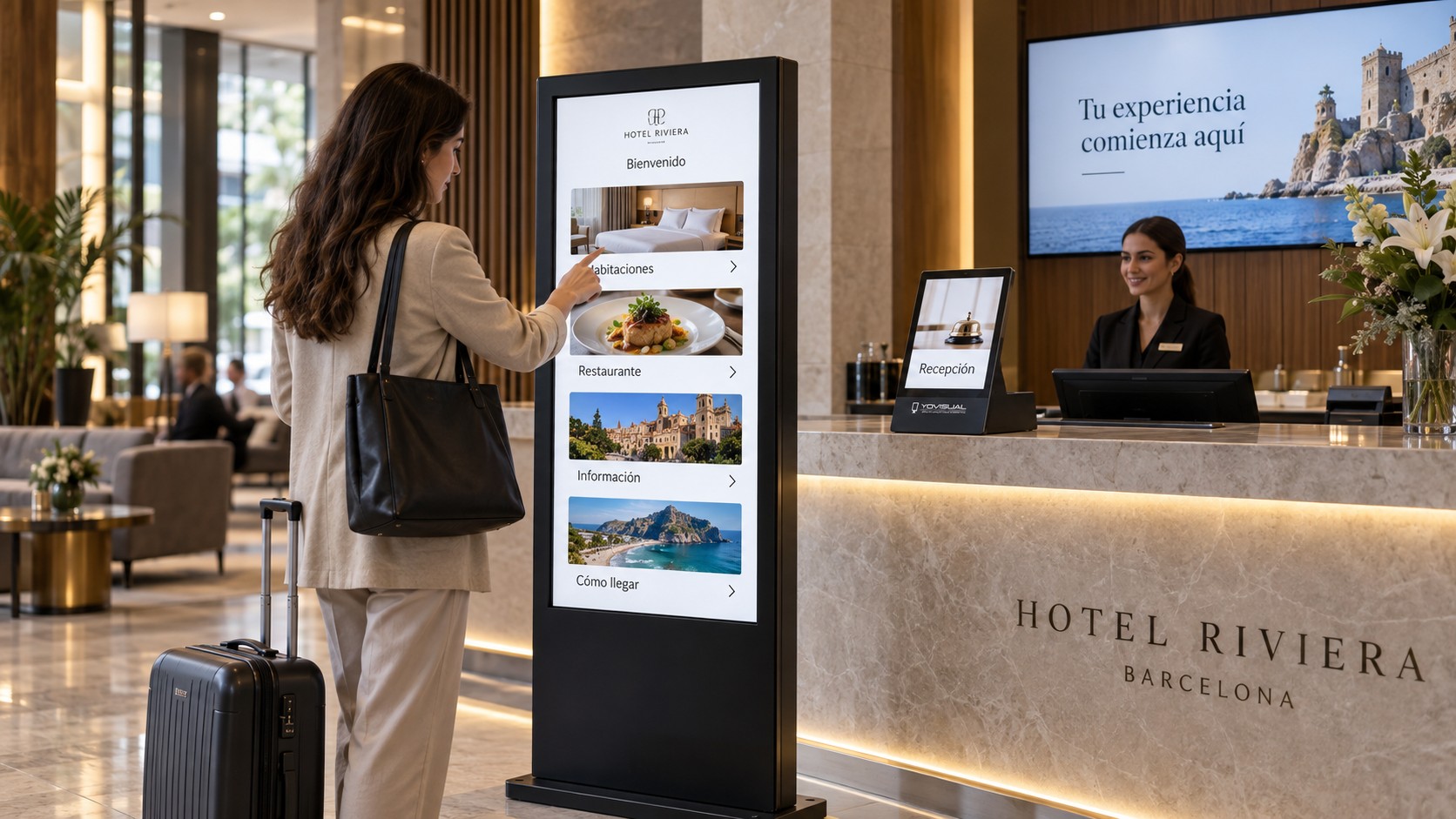
Touch functionality is particularly worthwhile when someone needs to:
- Browse products or services.
- Search for information.
- Place an order.
- Select options.
- Look up a directory.
- Complete a form.
- Browse a digital catalogue.
Adding interactivity only makes sense when there is a clear purpose. For showing adverts or videos on a continuous loop, a touch function may be unnecessary.
In interactive projects it is also worth paying attention to accessibility. The W3C WCAG guidance on touch target size explains why buttons and controls need adequate dimensions and spacing.
7. Think about how you will update the content
Choosing the right hardware is only one part of the project. A screen is genuinely useful when you can keep what it shows up to date.
A shop may need to change its promotions every week, a restaurant may want to adjust its offers depending on the time of day, and a company may need to manage several screens across different locations.
In these cases, remote management can save a great deal of work. Yovisual’s LED-Cloud platform lets you manage devices, upload content and publish schedules remotely on compatible units.
8. Which type of screen best suits each need?
- Attracting people from the street: a dedicated shop window screen.
- Showing promotions inside the business: an indoor screen or portrait totem.
- Communicating at the counter: a countertop screen.
- Looking up information: an interactive screen or kiosk.
- Ordering or self-service: a dedicated touchscreen solution.
- Direct outdoor use: a screen built for the environmental conditions.
- Mobile advertising: a portable battery-powered screen.
9. Mistakes to avoid
Choosing on price alone
Two screens of the same size may be designed for completely different conditions and uses.
Not analysing the lighting
This is especially important in shop windows and outdoors, where ambient light affects visibility.
Buying a screen that is too large
If the audience is very close, an oversized screen can worsen the experience and take up space unnecessarily.
Forgetting about the content
A large screen with small text or too much information will still communicate poorly.
Not planning how it will be updated
If you are going to change promotions frequently, content management should be part of the initial decision.
A good screen starts with a good choice
There is no single perfect screen for every business. The best choice is the one that suits the space, the light, the viewing distance, the content, the interaction and the commercial objective.
Consider where it will be installed, where your audience will view it from and what you need to communicate. From there, it becomes much easier to identify the right format.
Not sure which screen to choose?
At Yovisual we can assess your space and help you work out which format, size and type of screen best suits your business.
Request adviceFrequently asked questions
What size of advertising screen do I need?
It depends on the viewing distance, the space available and the type of content.
Is a portrait or landscape screen better?
It depends on the content and the space. Portrait format works particularly well on totems, while landscape suits videos and widescreen layouts.
Can I use a standard screen in a shop window?
It depends on the lighting. A very bright shop window may require a screen with higher brightness.
What should I look for in an outdoor screen?
Brightness, protection against the elements, operating conditions and installation.
Do I need a touchscreen?
Only if users need to interact. For displaying advertising or automatic information, it is not always necessary.